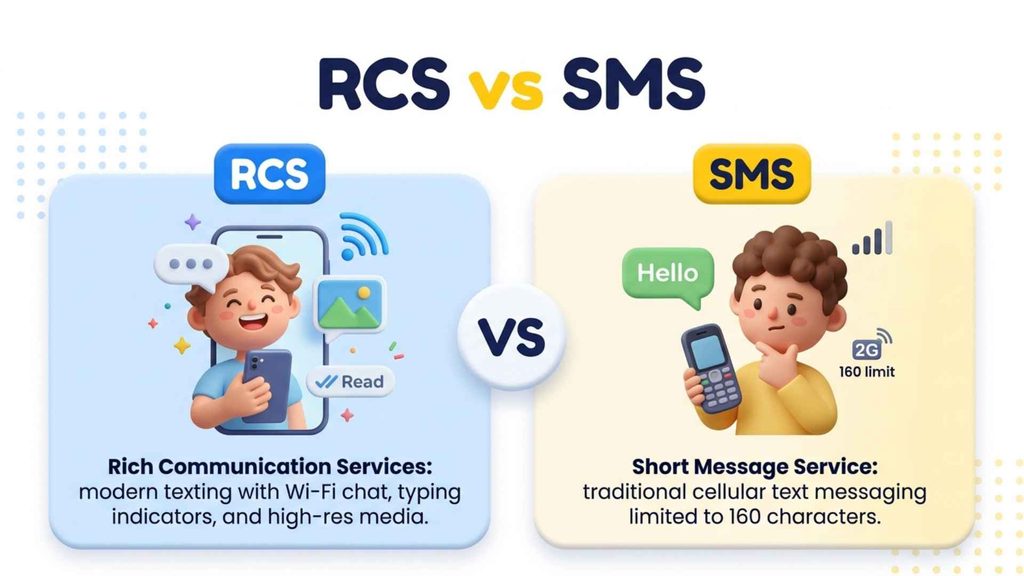
You open your phone, see a tiny “Chat features” notice, and suddenly your messages look different. Typing dots appear. Photos arrive sharp. It’s confusing, and you probably typed what does rcs mean in texting into Google just to feel normal again.
This guide gives you the plain answer, real chat examples, setup steps, and safety tips. By the end, you’ll know what does rcs mean in texting and why it matters for every texting habit you have. Stay with me.
rcs text message meaning
Ever spotted a strange new label above your chats and wondered what does rcs mean in texting? It’s a small upgrade that changes how each texting chat looks and feels.
What Is the Meaning of an RCS Text Message?
- RCS stands for Rich Communication Services, the upgraded texting standard.
- An RCS text message travels over mobile data or Wi-Fi.
- It replaces plain SMS whenever both phones support it.
- Your messaging app shows labels like Chat features or RCS.
- You get read receipts, typing dots, and reactions automatically.
- Nothing extra to download; it lives inside your default messaging app.
Think of it as SMS 2.0. You still pick a contact and type, but the message rides a richer pipeline than the one built for 1990s flip phones. It is also why friends keep saying the feature is worth switching on, since the difference shows up in your very first chat.
Example in texting: Friend 1: Why does my chat say RCS under the text box? Friend 2: It means we’re texting over data now, so expect typing dots.
What Does RCS Mean?
Short answer first, because you deserve it: what does rcs mean in texting comes down to three words, and they really explain why modern texting feels so much richer now.
What Does RCS Stand For and Who Created It?
- RCS means Rich Communication Services.
- The GSMA, the mobile industry group, defined the standard.
- Work began in the late 2000s to modernize SMS.
- Google pushed adoption through Google Messages and its Jibe platform.
- The Universal Profile keeps carriers and phone makers on the same rulebook.
- Many phones label it chat features or enhanced messaging.
| Term | What It Means |
| RCS | Rich Communication Services |
| GSMA | The global mobile operator group behind the standard |
| SMS | Short Message Service, the older text system |
| MMS | Multimedia Messaging Service for pictures and video |
| Universal Profile | The shared RCS rulebook for carriers and devices |
Say it out loud once and it sticks: Rich Communication Services. The name sounds corporate, yet the feature is simple, familiar, and already sitting inside your phone.
Example in chat: Friend 1: My phone says RCS. Is that a new app? Friend 2: Nope, it just stands for Rich Communication Services. Same texts, but better.
RCS Meaning in Text Messages
Seeing letters you don’t recognize in your inbox feels odd, so let’s decode what does rcs mean in texting inside real messages and why texting apps keep showing it often.
How Is RCS Used in Everyday Conversations?
- Status labels like “RCS chat” appear inside your message box.
- Friends say “turn on RCS” when your photos look blurry.
- A “Chat” tag usually means RCS is active.
- A “Text message” label means plain SMS delivered it instead.
- Carriers sometimes call it enhanced messaging in their settings.
- Brands also send verified RCS messages to customers.
You will rarely type the letters yourself. Most people meet RCS as a quiet label, a typing bubble, or a friend telling them to switch it on. If a label ever confuses you, tap the contact name or open settings, and your phone will usually explain which messaging type is active.
Example in texting: Friend 1: Your video came through crystal clear this time. Friend 2: That’s RCS. SMS would’ve crushed it into a blurry mess.
What Is RCS Messaging?
Picture your regular inbox with extra little superpowers. That’s what does rcs mean in texting in everyday practice: the same texting screen, powered by a faster, richer, internet-based messaging protocol.
How Did RCS Messaging Develop Over Time?
- RCS is a protocol, not an app you install.
- It rides on mobile data or Wi-Fi instead of the old cellular text channel.
- Your carrier and your messaging app both need to support it.
- It supports group chats with names, photos, and replies.
- Messages can carry high-resolution photos and longer videos.
- If RCS fails, your phone falls back to SMS or MMS.
| Year | Milestone |
| Late 2000s | GSMA starts designing Rich Communication Services |
| 2015 | Google acquires Jibe Mobile to build RCS infrastructure |
| 2016 | Universal Profile gives carriers a shared standard |
| 2019 | Google Messages rolls out chat features widely |
| 2024 | Apple brings RCS to iPhone with iOS 18 |
The idea was never to replace your phone number. It was to make the default texting app feel as lively as the chat apps people already loved.
Example in chat: Friend 1: So RCS isn’t WhatsApp, right? Friend 2: Right. It’s built into your normal messages app, no new account needed.
How Does RCS Work?
Curious what happens after you hit send? What does rcs mean in texting also covers a quick behind-the-scenes trip that makes everyday texting feel instant, visual, and surprisingly personal today.
How Does an RCS Message Travel From Phone to Phone?
- Your phone first checks whether your contact can receive RCS.
- If yes, it sends the message through mobile data or Wi-Fi.
- A carrier or Google server routes it to the other phone.
- The receiving app sends back delivery and read signals.
- If your contact lacks RCS, it quietly switches to SMS.
- You never need a new phone number or separate login.
That quick capability check is why your first message to someone new can look different from your fifth. Once both phones are confirmed, the chat upgrades itself. Because the process runs in seconds, you will almost never notice the handoff. You only notice the results: faster delivery, cleaner media, and signals that show a conversation is alive.
Example in texting: Friend 1: It says “Chat” next to your name now. Friend 2: Perfect, that means RCS found my phone and is using data.
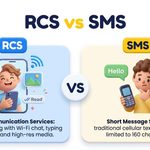
RCS vs. SMS: What Is the Difference?
Your thumb has typed thousands of plain texts, but what does rcs mean in texting when you compare it with SMS? The gap really changes how modern texting actually feels.
Is RCS Better Than SMS for Daily Texting?
- SMS works almost anywhere, even with weak signal and no data.
- RCS needs data or Wi-Fi but delivers a far richer chat.
- SMS compresses photos until they look soft and muddy.
- RCS keeps image quality much closer to the original.
- RCS adds typing indicators and read receipts that SMS cannot offer.
- Both work together, because RCS falls back to SMS when needed.
| Feature | SMS | RCS |
| Needs internet | No | Yes, with SMS fallback |
| Message length | About 160 characters per segment | Much longer messages |
| Read receipts | No | Yes |
| Typing indicators | No | Yes |
| Photo and video quality | Heavily compressed | High quality |
| Encryption | None | Available in supported chats |
So which one wins? RCS for features, SMS for reach. Most people never choose, because the phone picks automatically.
Example in chat: Friend 1: Why are old photos from you so blurry? Friend 2: That was SMS. Now we’re on RCS, so they’ll look sharp.
Key Features of RCS Messaging
Every great chat app has a few signature tricks, and here’s what does rcs mean in texting when you look closely at the features that make texting feel alive again.
What Features Does RCS Messaging Include?
- Read receipts show when someone has opened your message.
- Typing indicators let you see a reply forming.
- Emoji reactions let you respond without writing a full message.
- Group chats support names, photos, and smoother member management.
- High-quality media sharing keeps pictures and videos sharper.
- End-to-end encryption is available in supported one-on-one and group chats.
| Feature | What It Does | Why You Will Notice It |
| Read receipts | Confirms a message was opened | Less guessing about replies |
| Typing indicators | Shows live typing | Chats feel real-time |
| Media sharing | Sends larger files | Photos stay sharp |
| Reactions | Adds quick emoji replies | Fewer filler messages |
| Verified business chats | Shows logos and buttons | Easier customer service |
None of these features is dramatic on its own. Together, they make a plain text thread feel like a real conversation. Over time, small details like these decide whether a messaging app feels dull or delightful, and RCS finally gives default texting a fighting chance.
Example in texting: Friend 1: Just reacted with a heart instead of replying. Friend 2: Love that. RCS makes quick replies so easy.
RCS Read Receipts and Typing Indicators Explained
That little “Read” label can brighten your day or tie your stomach in knots. Here’s what does rcs mean in texting when typing dots and receipts enter the texting picture.
How Do RCS Read Receipts and Typing Indicators Work?
- A read receipt appears once your contact opens the chat.
- Typing dots show while the other person writes a reply.
- Both signals need RCS active on both phones.
- You can usually switch read receipts off in settings.
- Turning them off also hides their receipts in some apps.
- SMS conversations never show either signal.
These tiny signals change social rhythm. A reply that once felt “just slow” can suddenly feel pointed, simply because you saw the dots appear and vanish.
Example in chat: Friend 1: I saw you typing for like five minutes. Friend 2: I wrote three drafts and sent “haha yes.” Don’t judge me.
How to Enable RCS Chat
Ready for smoother chats? Learning what does rcs mean in texting is step one, and switching it on takes only about two minutes of simple settings and calm texting setup.
How Do You Turn On RCS Chat on Android and iPhone?
- Open Google Messages and tap your profile picture.
- Choose Messages settings, then RCS chats.
- Switch on Turn on RCS chats and wait for “Connected.”
- On iPhone, open Settings, find Messages, and toggle RCS Messages.
- Keep mobile data or Wi-Fi on while setup finishes.
- Update the app if the RCS option is missing.
Menu names shift a little between phone brands and software versions. If you can’t find the toggle, search “RCS” or “chat features” in your settings, and your carrier must support the feature too. A good habit is to test with one friend first. Send a photo, watch for typing dots, and confirm the chat label before you switch other contacts over.
Example in texting: Friend 1: I can’t find the RCS switch anywhere. Friend 2: Open Messages settings and search “chat features.” It’s hiding there.
Why Does My Phone Say Chat Features Are Enabled?
Nobody warned you about that mysterious banner, and honestly, that’s fair. Here’s what does rcs mean in texting when your phone proudly announces it, plus how your daily texting changes.
What Does the Chat Features Message Mean?
- “Chat features” is Google’s friendly name for RCS.
- The banner means your phone is connected to the RCS service.
- Your messages can now use data for richer chats.
- It appears after a new phone, update, or setup.
- You do not need to respond or confirm anything.
- You can switch it off anytime in settings.
Seeing it is good news. It simply tells you the upgrade finished and your chats can start using the newer features.
Example in chat: Friend 1: My phone just said “Chat features enabled.” Should I panic? Friend 2: Nope. It means RCS is on and your chats just got better.
Is RCS Messaging Safe?
Privacy worries are completely reasonable when messages feel so personal to us. So what does rcs mean in texting for your security, and how safe is your everyday texting really?
Are RCS Messages Encrypted?
- SMS has no end-to-end encryption at all.
- Google Messages supports end-to-end encryption between its RCS users.
- A lock icon usually shows that a chat is protected.
- Cross-platform encryption between Android and iPhone is rolling out gradually.
- Never share passwords or verification codes in any text.
- Watch for spam links, even inside RCS chats.
| Message Type | End-to-End Encrypted? | What to Know |
| SMS and MMS | No | Readable by carriers and networks |
| RCS in Google Messages | Yes, in supported chats | Look for the lock indicator |
| RCS between Android and iPhone | Depends on software | Check your current device updates |
Safety depends on the app, the update level, and the people in the chat. When privacy matters, confirm the lock icon before sending anything sensitive. Treat RCS like any other messaging tool: helpful, improving, and still worth using with common sense.
Example in texting: Friend 1: Is it safe to send my address over RCS? Friend 2: Check for the lock icon first. If it’s missing, share it another way.
Can You Turn Off RCS and Go Back to SMS?
Not everyone loves read receipts, and that’s perfectly okay. Let’s cover what does rcs mean in texting when you want out, and how to return to simple old-school texting quickly.
How Do You Disable RCS Chat on Your Phone?
- Open Google Messages, then go to Messages settings.
- Select RCS chats and toggle the feature off.
- On iPhone, switch off RCS Messages inside Messages settings.
- Your chats then fall back to SMS and MMS.
- Photos may look softer after you turn RCS off.
- You can turn it back on at any time.
Some people disable RCS for privacy, battery, or data reasons. If you only dislike the receipts, try turning those off first and keep the rest.
Example in chat: Friend 1: Can I stop people seeing when I read their texts? Friend 2: Yes, turn off read receipts. You can keep RCS on.
Why Is RCS Not Working?
Nothing is more annoying than a message that refuses to send. Here’s what does rcs mean in texting when it breaks, and how to get your texting running smoothly again.
How Do You Fix RCS Chat Not Working?
- Check that mobile data or Wi-Fi is actually connected.
- Confirm your contact has RCS turned on too.
- Update your messaging app from the app store.
- Restart your phone and toggle airplane mode.
- Turn RCS off and on to force a fresh connection.
- Contact your carrier if setup stays stuck on “Setting up.”
| Problem | Likely Cause | Quick Fix |
| Stuck on “Setting up” | Weak connection or outdated app | Update the app and retry |
| Messages show as SMS | Contact lacks RCS | Ask them to enable chat features |
| No typing dots | RCS not active on both phones | Check both settings |
| Photos arrive blurry | Fallback to MMS | Reconnect to data or Wi-Fi |
Most RCS problems fix themselves with a clean toggle and a stable connection. Persistent issues usually point to the carrier or a very old app version. If nothing works, ask your carrier whether RCS is active on your line, because a missing carrier setting is a common hidden cause.
Example in texting: Friend 1: Mine keeps saying “Setting up” forever. Friend 2: Update Google Messages, then toggle RCS off and on again.
RCS Messaging on Android and iPhone
For years, green and blue bubbles quietly divided close friends. Now what does rcs mean in texting across Android and iPhone, and how does it reshape cross-platform texting for everyone?
Does RCS Work Between Android and iPhone?
- Android has used RCS through Google Messages for years.
- iPhone added RCS support with iOS 18 in 2024.
- Your carrier must also support RCS on the iPhone.
- Cross-platform chats now get read receipts and typing dots.
- Photo quality is better than old SMS and MMS.
- iMessage still stays separate between iPhone users.
| Device | RCS Support | Notes |
| Android phone | Built into Google Messages | Often called “Chat features” |
| iPhone | iOS 18 and later | Needs carrier support |
| Android to iPhone | Yes, when both are enabled | Encryption support is still rolling out |
| iPhone to iPhone | Uses iMessage first | RCS is only a fallback |
The bubble war has not ended, but the quality gap has shrunk. A chat between two different brands finally feels like a modern conversation. If you switch phones, check the settings again, since the toggle can reset during setup.
Example in chat: Friend 1: My iPhone friend and I finally get typing dots. Friend 2: Same here. RCS made our Android and iPhone chat feel normal.
Does RCS Cost Money or Use Mobile Data?
Nobody wants an unwelcome surprise on their monthly phone bill. So here’s what does rcs mean in texting for your own wallet, and how mobile data affects everyday texting costs.
Does RCS Messaging Use Data or Cost Extra?
- RCS uses mobile data or Wi-Fi, not your text allowance.
- On Wi-Fi, messages typically add no mobile data usage.
- Many plans include data, so RCS rarely adds a separate fee.
- Heavy video and photo sharing can use noticeable data.
- If data is unavailable, your phone sends SMS instead.
- Check your plan details if you roam abroad.
Most people see no change on their bill. If you have a small data allowance, keep Wi-Fi on when you send big files.
Example in texting: Friend 1: Will RCS eat my data plan? Friend 2: Only a little. Use Wi-Fi for videos and you’ll be fine.
RCS Business Messaging (RBM) Explained
Ever gotten a shipping update that came with buttons and a verified company logo? That’s business texting at work, and what does rcs mean in texting here is surprisingly useful.
What Is RCS Business Messaging and How Do Brands Use It?
- RBM lets verified companies send rich, interactive messages.
- Brands show logos, photos, and clear sender names.
- Suggested replies and buttons make responses faster.
- Carousels can display products or booking options.
- Airlines and retailers use it for updates and support.
- Verified senders help reduce spoofing and spam.
Compared with a bare text full of links, a verified RCS message feels trustworthy and tidy. You see who is writing, and you tap instead of typing. For shoppers, that means fewer scam worries and faster answers. For businesses, it means customers actually read and respond.
Example in chat: Friend 1: My delivery update had a “Track package” button. Friend 2: That’s an RCS business message. Super handy.
Emotional Meaning of RCS in Everyday Conversations
Two dots can make your heart skip a beat. Here’s what does rcs mean in texting emotionally, and how those signals reshape the feeling of texting someone you care about.
How Does RCS Change the Way We Feel When Texting?
- Typing dots create anticipation before a reply even arrives.
- A read receipt can feel reassuring or deeply frustrating.
- Visible signals build closeness between friends and partners.
- They also add pressure to respond quickly.
- Clear boundaries, like muting receipts, protect your peace.
- Talking openly about expectations prevents misunderstandings.
Technology didn’t invent social pressure, but it made it visible. If a read message without a reply stings, remember that people read things while busy, tired, or unsure what to say. A simple rule helps: reply when you can, and never read silence as rejection.
Example in texting: Friend 1: You read it an hour ago and didn’t answer! Friend 2: Sorry, I was driving. I’ll reply properly now.
Common Misunderstandings About RCS Messaging
Plenty of people guess wrong about this feature, and that’s normal. Let’s clear up what does rcs mean in texting and the myths that make texting feel far more confusing.
What Do People Get Wrong About RCS?
- RCS is not an app; it lives inside your messaging app.
- It is not WhatsApp and needs no separate account.
- It does not always work, because both phones need RCS enabled.
- Without data or Wi-Fi, your message sends as SMS.
- RCS does not replace iMessage between iPhone users.
- It is not always encrypted; protection depends on the chat.
Most confusion comes from the name. “Rich Communication Services” sounds like a big platform, but in daily life it is just your texts with extra features. Once you know the basics, the rest of RCS stops feeling mysterious and starts feeling useful.
Example in chat: Friend 1: Do I need to download RCS? Friend 2: No download. It’s already inside your messages app.
Frequently Asked Questions About RCS
What does RCS mean in texting?
The answer to “what does rcs mean in texting” is Rich Communication Services. It upgrades basic SMS with modern chat features.
Is RCS better than SMS?
Yes. When people ask “what does rcs mean in texting,” the upgrades are read receipts, typing dots, and sharper photos.
Does RCS cost money?
Here is the quick take on “what does rcs mean in texting” for your bill: it uses data or Wi-Fi.
Does RCS work on iPhone?
For “what does rcs mean in texting” on iPhone: yes, iOS 18 and later support it with carrier help.
Can I turn off RCS?
Yes. Even if you know “what does rcs mean in texting,” you can switch it off in settings anytime.
Is RCS secure?
Partly. “What does rcs mean in texting” for security depends on encryption, which is available in supported chats.
Is RCS the same as iMessage?
No. “What does rcs mean in texting” differs from iMessage, which is Apple’s own closed messaging service.
Conclusion
So, what does rcs mean in texting? It means your plain messages grew up. RCS, or Rich Communication Services, adds typing dots, read receipts, reactions, sharper photos, and safer chats, all inside the app you already use.
Knowing what does rcs mean in texting helps you fix problems, protect your privacy, and understand why some chats feel livelier than others. It also helps you set boundaries around receipts and replies, because those small signals carry real feelings.
Next time a friend says “turn on RCS,” you’ll know exactly what they mean. Open your settings, check your chat features, and decide how you want your texting to feel. What does rcs mean in texting for you? Probably a little more connection.
Extracted LSI, NLP and Semantic Keywords (reference only, not part of the article)
Rich Communication Services, SMS, MMS, chat features, enhanced SMS, SMS 2.0, GSMA, Universal Profile, Google Messages, Jibe, iMessage, iOS 18, Android, iPhone, Apple, carrier, mobile data, Wi-Fi, read receipts, typing indicators, emoji reactions, group chats, high-quality media, end-to-end encryption, RCS chat, RCS messaging, RCS Business Messaging (RBM), verified sender, suggested replies, default messaging app, protocol, fallback to SMS, WhatsApp, spam links, lock icon, setting up, cross-platform messaging

Amelia Brooks is a US-based author known for inspiring stories on meaning, growth, and hope, blending insight with simple, engaging storytelling.